Prepare Your Comic.
With Confidence.
In Seconds.
The free browser-based prepress tool. Assemble interiors, manage covers, check bleed/trim, and export print-ready PDFs. No signup, no uploads, no fees.
Works directly in your browser • Everything stays on your device
 Preview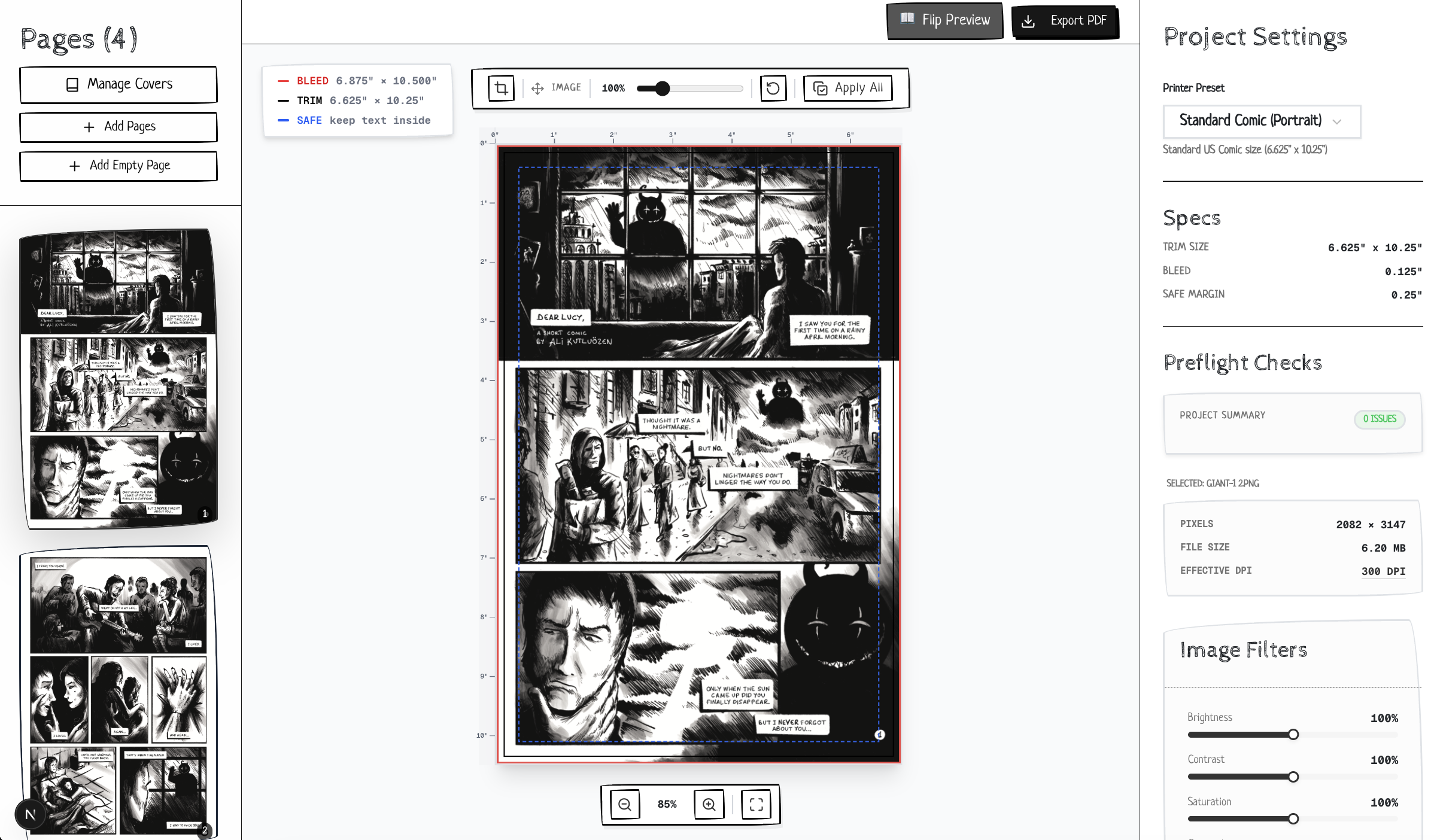
Everything you need to go from art to print
Built by comic creators, for comic creators. No learning curve required.
Preflight Checks
Automatic DPI, dimension, and margin validation. Catch issues before your printer does.
Printer Presets & Custom Sizes
KDP, standard US comic, manga presets built in. Create custom trim sizes for any format.
Visual Guides & Rulers
Bleed, trim, and safe area overlays plus inch rulers so you always know exact dimensions.
Batch Operations
Position and scale one page, then apply to all. Drag & drop everything at once. Zero busywork.
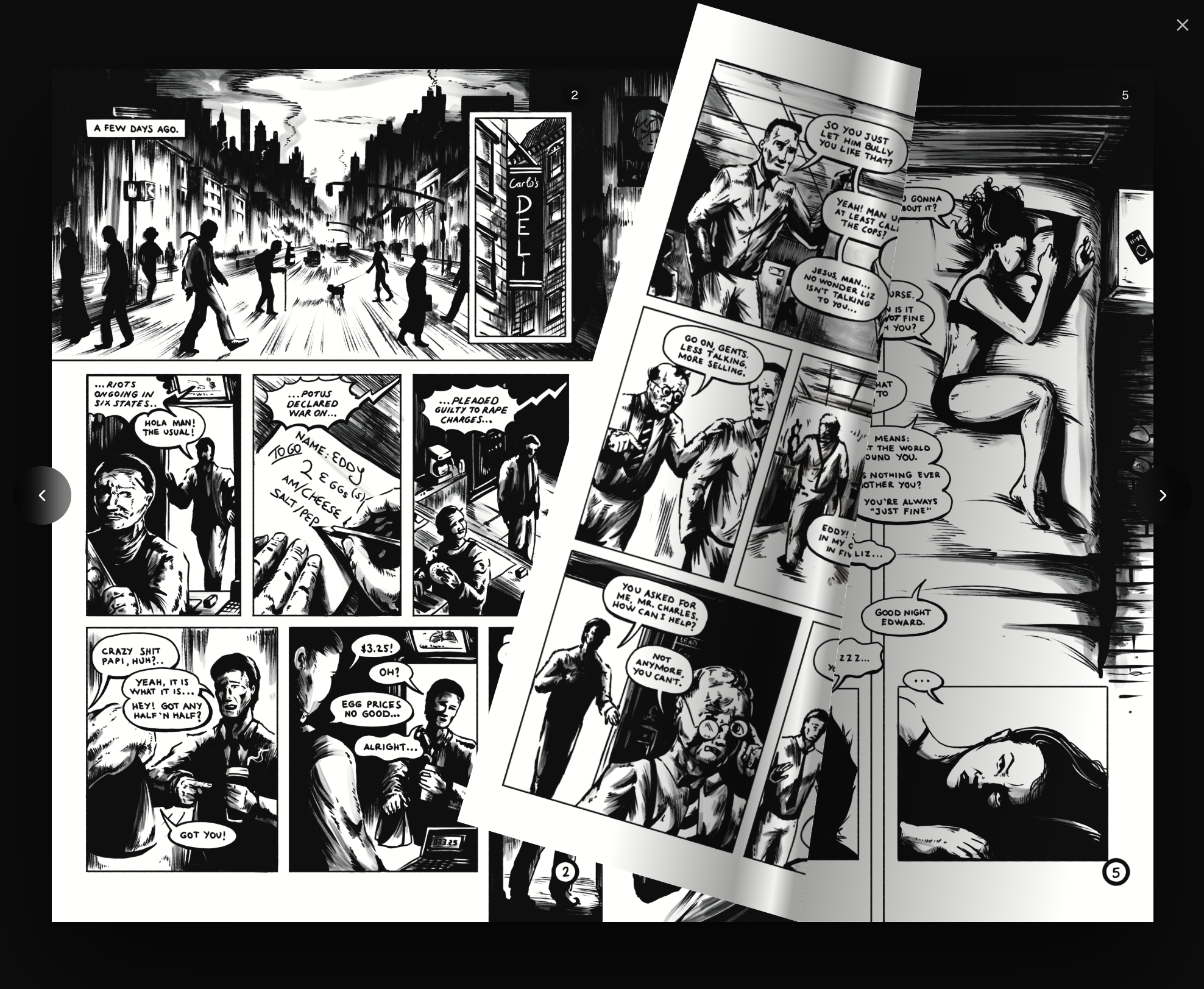
Flipbook Preview
Interactive page-flip preview to see exactly how your comic reads as a finished book.
Complete Cover Management
Dedicated slots for Front, Inside Front, Inside Back, and Back covers. Export with or without valid impositions.
Advanced Cover Editor
Crop, resize, and reposition your covers to fit perfectly with bleed and trim guides.
Double Page Spreads
Automatically pair facing pages, stitch them together perfectly, or split wide spreads into single pages for print.
Color Adjustments & Filters
Fine-tune brightness, contrast, and saturation. Quickly convert pages to Grayscale or Sepia without touching Photoshop.
CMYK Press-Safe Export
Convert colors into the printable SWOP press range and tag your PDF with a real output intent. No color surprises at the printer.
Booklet & Ashcan Printing
Export saddle-stitch booklet sheets in imposition order. Print double-sided at home, fold, staple, done.
One-Click Bleed Extension
Art drawn without bleed? Generate the missing bleed band by mirroring or stretching edges instead of cropping your art.
Flexible PDF Exports
Generate your entire book as a single print-ready PDF, or export individual pages in a neatly named ZIP file.
100% Private
Everything runs in your browser. Your art never leaves your device. No accounts, no cloud.
Multiple Projects & Autosave
Your work saves automatically in your browser as you edit. Manage multiple books, export portable backup files, and pick up right where you left off.
Dead Simple
Drag your pages in, pick a preset, and export. No learning curve, no complex setup required.
Free tools & guides
Quick answers for the trickiest parts of print prep. No signup for these either.
Spine Width Calculator
Page count + paper stock in, exact spine width and a free cover template PDF out.
DPI Checker
Drop one page, instantly see if the resolution is high enough for your print size.
Print Prep Guide
Bleed, trim, safe areas, and covers explained step by step for first-time publishers.
Printing Costs 2026
Real per-copy prices by run size, printer comparisons, and how to price your book.
Ready to prep your comic for print?
No signup needed. Drag & drop your pages and start checking in seconds.
Launch EditorHave suggestions?
We're constantly improving and would love to hear your thoughts.